The average person spends around five hours a day on their phone. If you would like some of those hours back, willpower is not the answer. Changing your phone is. Here is what actually works, based on what we learned building Niagara Launcher.
Why willpower alone rarely works
Your home screen is designed to pull you in: colorful grids of icons, badges everywhere, a feed one swipe away. Fighting that with pure discipline means fighting it dozens of times a day, and eventually you lose one of those rounds.
The counterintuitive part: going nuclear does not work either. Muting everything sounds tempting, but research on notifications shows that people who silence their phones end up checking them more often, not less, because the uncertainty nags at them. The goal is not less information. It is information at the right time.
Step 1: calm your home screen
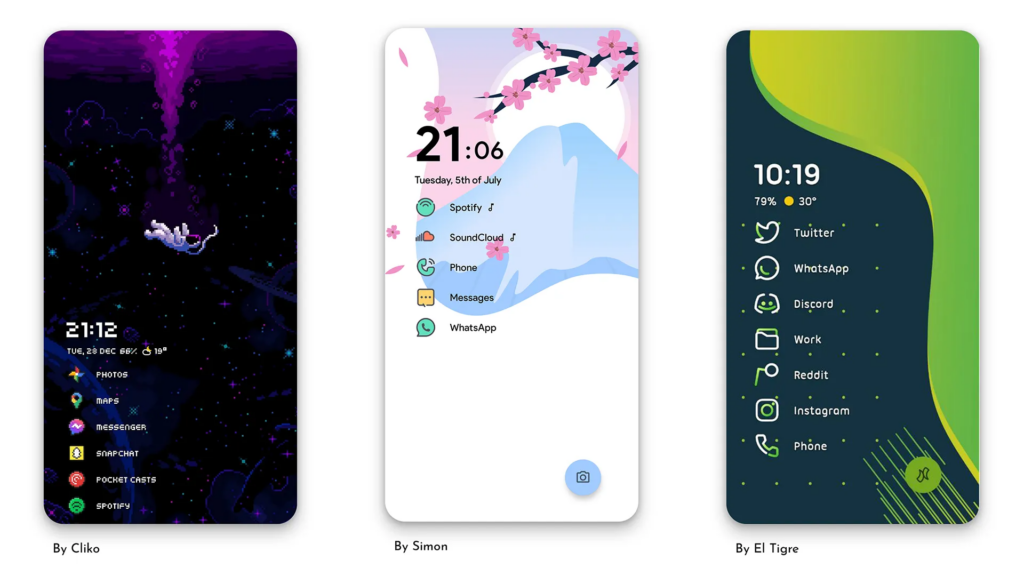
Start where every phone session starts. A minimalist home screen shows the handful of apps you actually chose, and nothing else. With Niagara Launcher, your favorites sit in a short list, everything else waits one swipe away in an alphabetical list, and there is no page of colorful bait to scroll through while you wait for an elevator.
If app icons still pull at you, Niagara Dots replaces all of them with calm, uniform dots. You would be surprised how much quieter a phone feels when Instagram is not pink anymore.
Step 2: batch your notifications
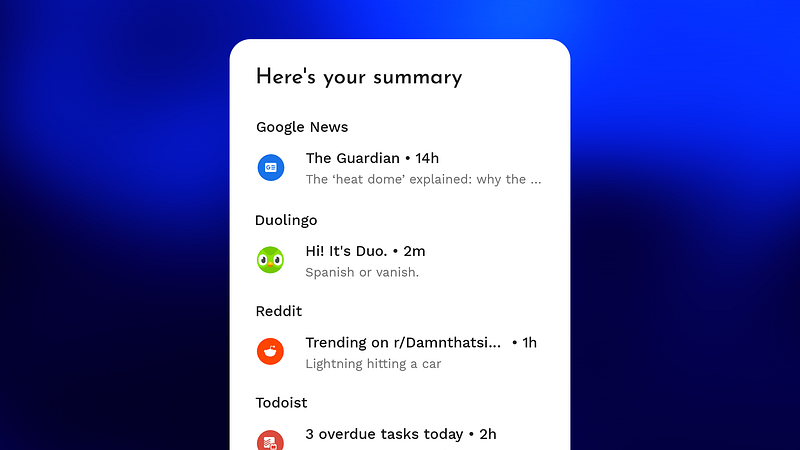
Most notifications are neither urgent nor unimportant. They are somewhere in between, and that is exactly why they interrupt you all day. Niagara’s Notification Summary collects the notifications of apps you choose and delivers them as a digest roughly every six hours, which usually means two or three calm batches a day instead of a constant drip. Nothing is lost, it just arrives on your schedule. Learn more about Notification Summary
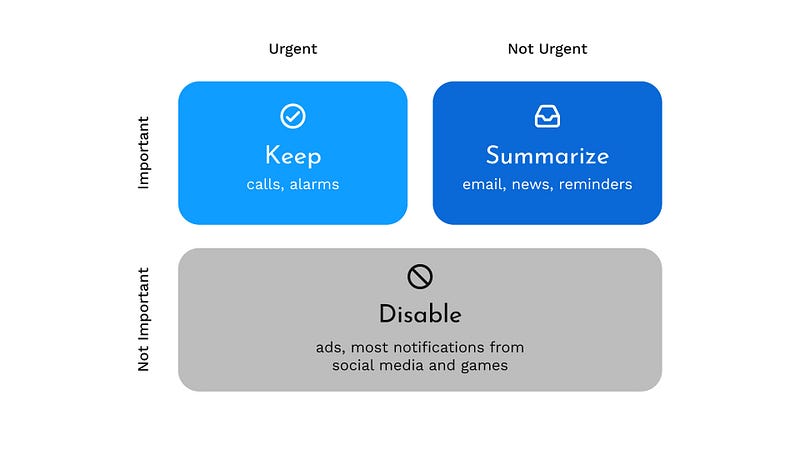
A simple way to decide what goes where, borrowed from the Eisenhower matrix:
- Turn off notifications that are neither urgent nor important. You will not miss them.
- Send important but not urgent notifications to the summary.
- Let conversations through. Real people deserve real time replies, and blocking them creates the anxiety that makes you check your phone.

Step 3: add friction where you doomscroll
For the two or three apps that eat your evenings, hard blocks tend to backfire: you hit the wall, feel patronized, and disable the timer. Usage Breaker, part of Niagara Pro, takes a gentler approach. You pick the apps you tend to overuse, and when a session runs long, it nudges you with a reminder instead of slamming a door. A small pause is often all it takes to put the phone down on your own. Learn more about Usage Breaker
We are studying this, for real

Digital wellbeing features are often designed on gut feeling. We want to do better, so together with the University of Augsburg we run the Digital Wellbeing Initiative, a research project on what unhealthy phone use actually looks like and which interventions help. Participation is voluntary, the data is anonymized, personal data is deleted after 90 days, and you can join or leave anytime in the app settings. What we learn flows back into features like Usage Breaker. Learn more about the initiative
Small changes, real hours
None of these steps requires a digital detox retreat. A calmer home screen, notifications that arrive in batches, and a gentle nudge in the right apps: each one removes a few unplanned phone minutes, many times a day. That adds up to real hours, and you get to decide what to do with them.